How do I set my keyboard layout to work like the Windows mnemonic Russian keyboard?
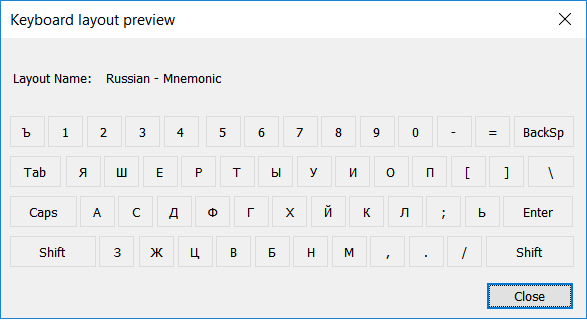
This is the mnemonic Russian keyboard in Windows.
while this is the phonetic Russian layout in Ubuntu.
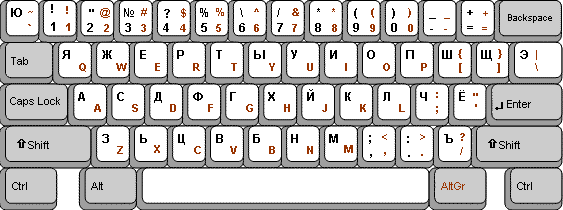
In Windows there are some Russian characters mapped in different keys and also:
From Wikipedia:
Windows 10 includes its own implementation of a mnemonic QWERTY-based
input method for Russian, which does not fully rely on assigning a key
to every Russian letter, but uses the sh, sc, ch, ya (ja), yu (ju), ye
(je), yo (jo) combinations to input ш, щ, ч, я, ю, э and ё
respectively.
Top Answer/Comment:
One way to come close to the desired behavior is to
- Define a compose key
- Create the file
~/.XCompose
- Add the desired compose sequences to
~/.XCompose
- Relogin
I tested it with a ~/.XCompose file with only this line:
<Multi_key> <Cyrillic_es> <Cyrillic_ha> : "ш" Cyrillic_sha # CYRILLIC SMALL LETTER SHA
When using the Russian (phonetic) keyboard layout it lets me do:
Compose followed by С followed by Х -> ш
상단 광고의 [X] 버튼을 누르면 내용이 보입니다
